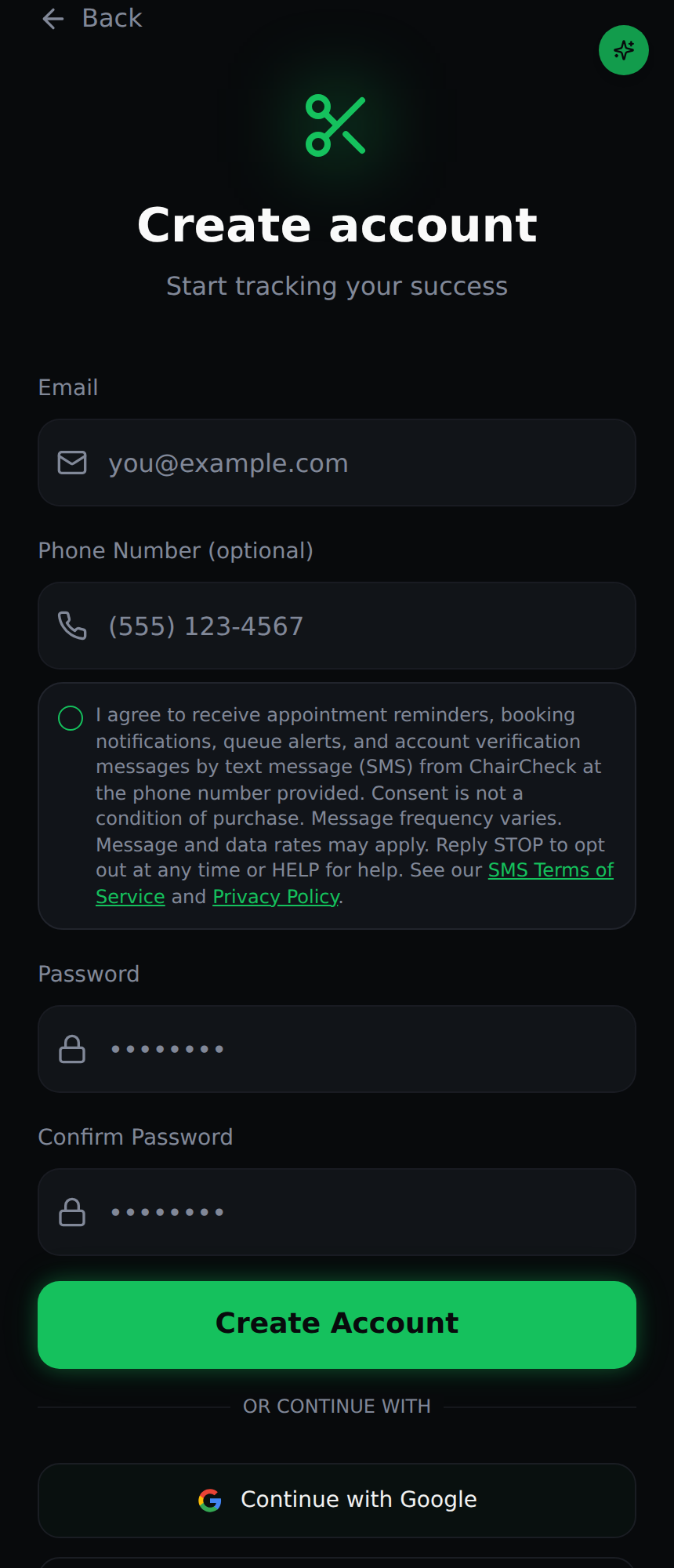
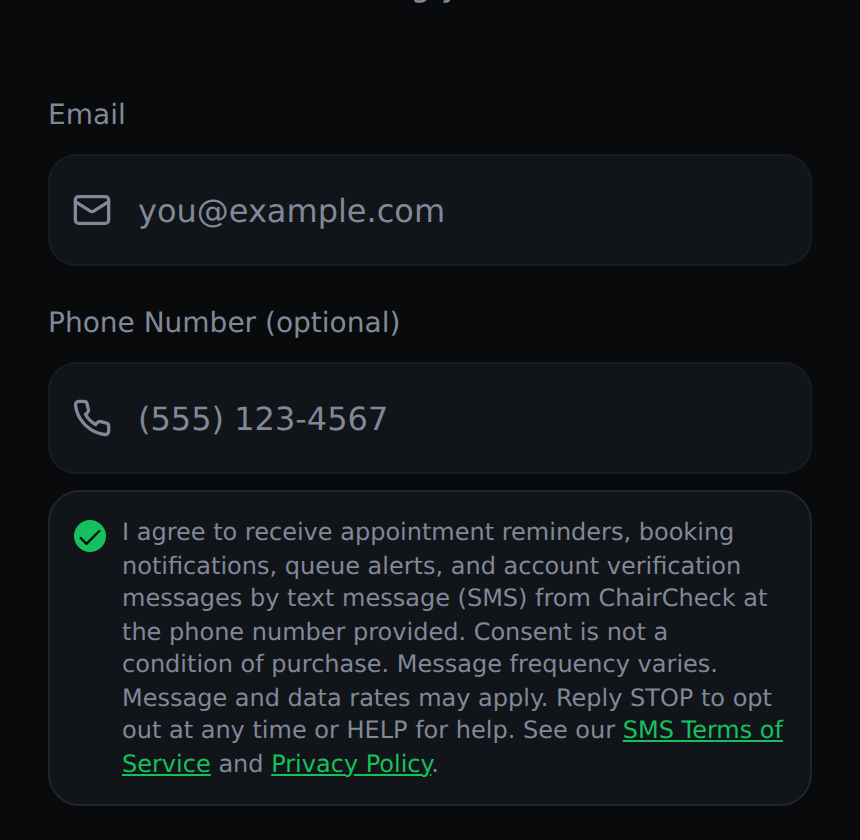
Public reference page showing exactly how end users opt in to text messages from ChairCheck. No login required.
Brand: ChairCheck (https://getchaircheck.com, also https://chaircheck1.site), a barbershop appointment booking and walk-in queue app.
How consent is collected: End users opt in on a web form (also used in the ChairCheck mobile app) by entering their mobile number and actively checking an SMS consent checkbox that is unchecked by default. Consent is optional and is not a condition of signing up, booking, or any purchase. Users who do not check the box can still create an account and book, and they do not receive reminder or notification texts.
Live opt-in URLs:
The forms below are copies of the live forms, using the same fields, checkbox, and disclosure wording, so reviewers can check the opt-in experience without creating an account.
Screenshots of the ChairCheck sign-up form at https://getchaircheck.com/signup. The SMS consent checkbox sits directly below the phone number field, is unchecked by default, and must be selected by the user. The client booking form (path 2) uses the same checkbox and disclosure.
Direct screenshot links: sms-opt-in-signup.png · sms-opt-in-signup-checked.png
URL: https://getchaircheck.com/signup (public, no login or paywall)
sms_consent = true) with a timestamp on the user's account.URL: https://getchaircheck.com/book/<barber-id>. Every barber has a public booking link that they share with clients (for example in a social media bio, a text, or a QR code at the shop). No login or paywall is needed to view it.
client_profiles.sms_consent, sms_consent_at).URL: https://getchaircheck.com/client-login
By entering your number and tapping "Text me a code," you request a one-time verification code by text message (SMS) from ChairCheck at the number provided. This does not sign you up for other text messages. Message and data rates may apply. Reply STOP to opt out at any time or HELP for help. See our SMS Terms and Privacy Policy.
| Program name | ChairCheck Appointment & Account Notifications |
|---|---|
| Message types | Account verification codes (OTP), appointment confirmations, appointment reminders, walk-in queue / wait-time alerts, and booking status updates (accepted, rescheduled, cancelled). No marketing or promotional messages. |
| Message frequency | Message frequency varies based on account activity and appointments booked. |
| Cost | Message and data rates may apply. |
| Opt-out | Reply STOP at any time to unsubscribe. The user receives one confirmation and no further messages. |
| Help | Reply HELP for help, or email support@chaircheck1.site. |
| Consent requirement | Consent is optional and is not a condition of any purchase or of using ChairCheck. The checkbox is never pre-checked. |
| Privacy | Mobile phone numbers and SMS opt-in consent are never shared, sold, or rented to third parties or affiliates for marketing or promotional purposes. See the Privacy Policy. |
| Terms | SMS Terms of Service. Carriers are not liable for delayed or undelivered messages. |